How do I enter the Installation Secret in Jira after installing the CodeRabbit app?
Last updated: February 24, 2026
Context
After installing the CodeRabbit app in Jira Cloud, you may not immediately see where to enter the Installation Secret that was generated in CodeRabbit. This can make it unclear how to complete the integration setup between CodeRabbit and Jira.
Answer
The Installation Secret field is located in the Jira admin settings, but it may not be immediately visible due to changes in the Jira UI. Here's how to find it:
In CodeRabbit, go to Integrations → enable Jira → copy the Installation Secret
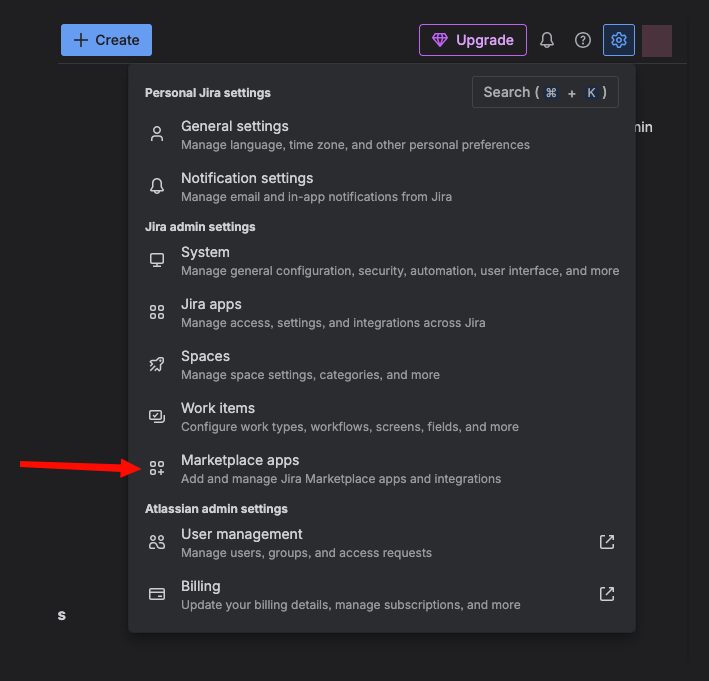
In Jira, go to Settings (gear icon)
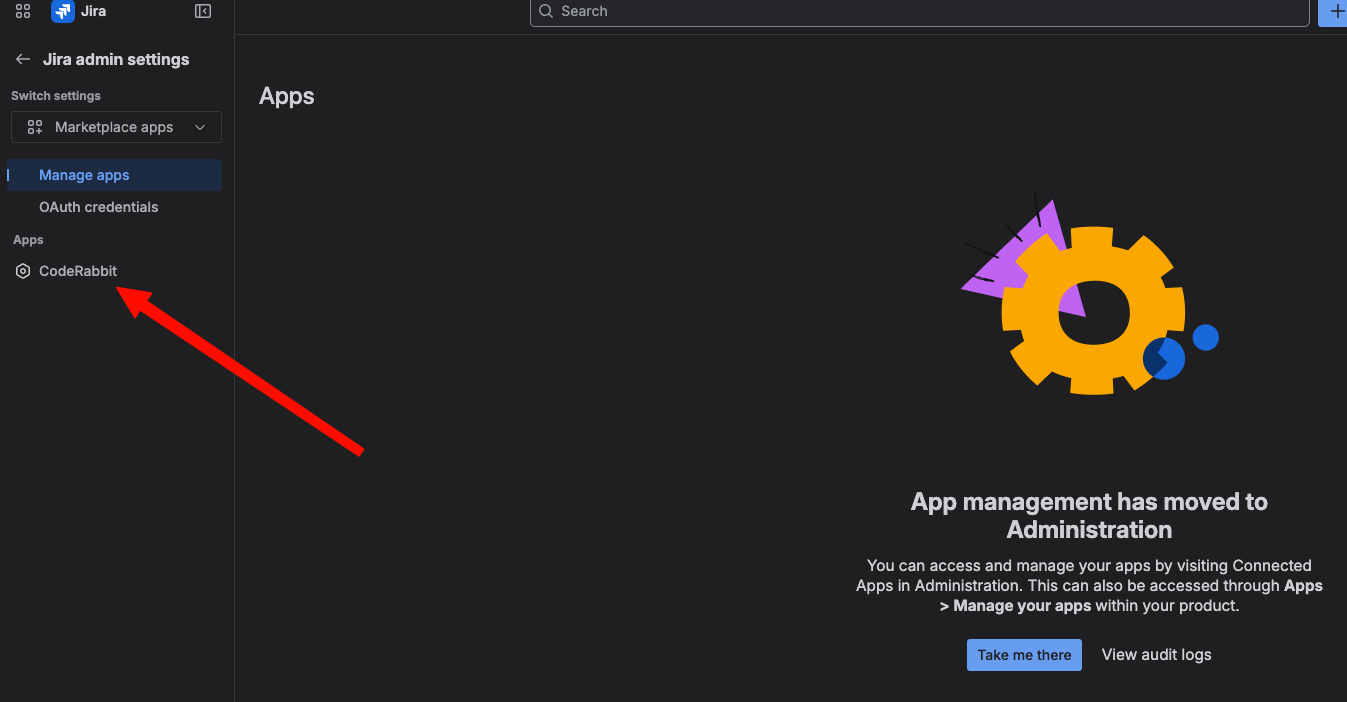
Navigate to Marketplace Apps
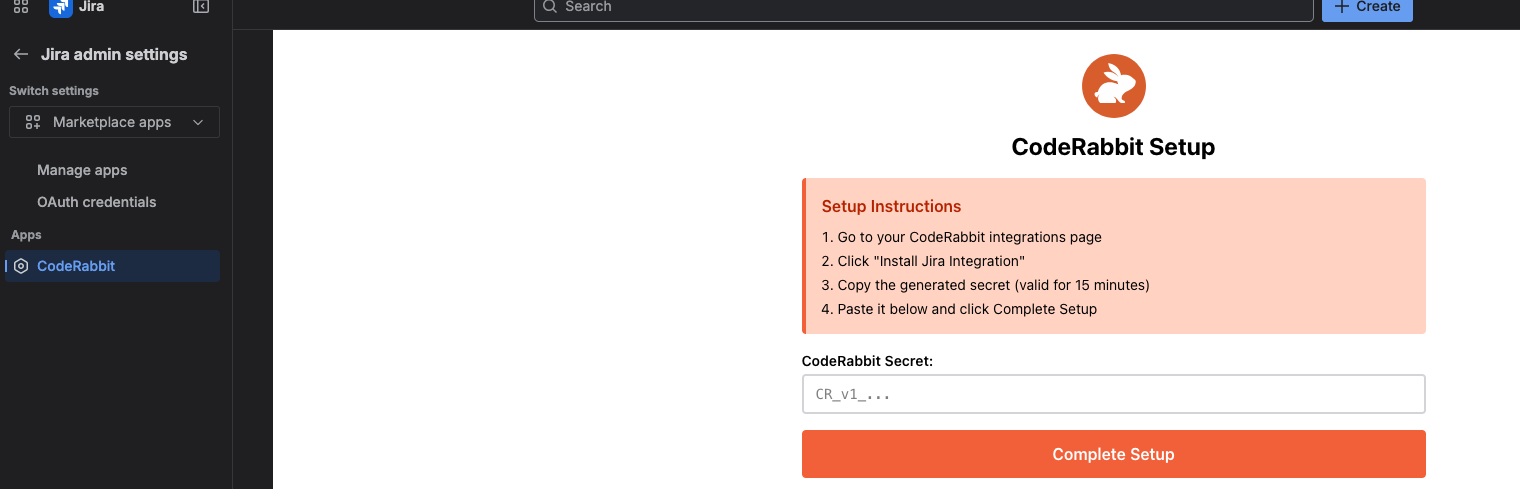
In the left sidebar, click on CodeRabbit under the Apps section
This opens the page to enter the Installation Secret - paste the Installation Secret here to complete the setup
For additional guidance, refer to the Jira integration documentation.