How do I transfer learnings between CodeRabbit accounts?
Last updated: March 6, 2026
Last updated: October 28, 2025
Context
When migrating or consolidating CodeRabbit accounts, It is possible to transfer existing CodeRabbit learnings to maintain the AI's understanding of the codebase and user preferences in the new environment.
Answer
You can transfer your learnings by following these steps:
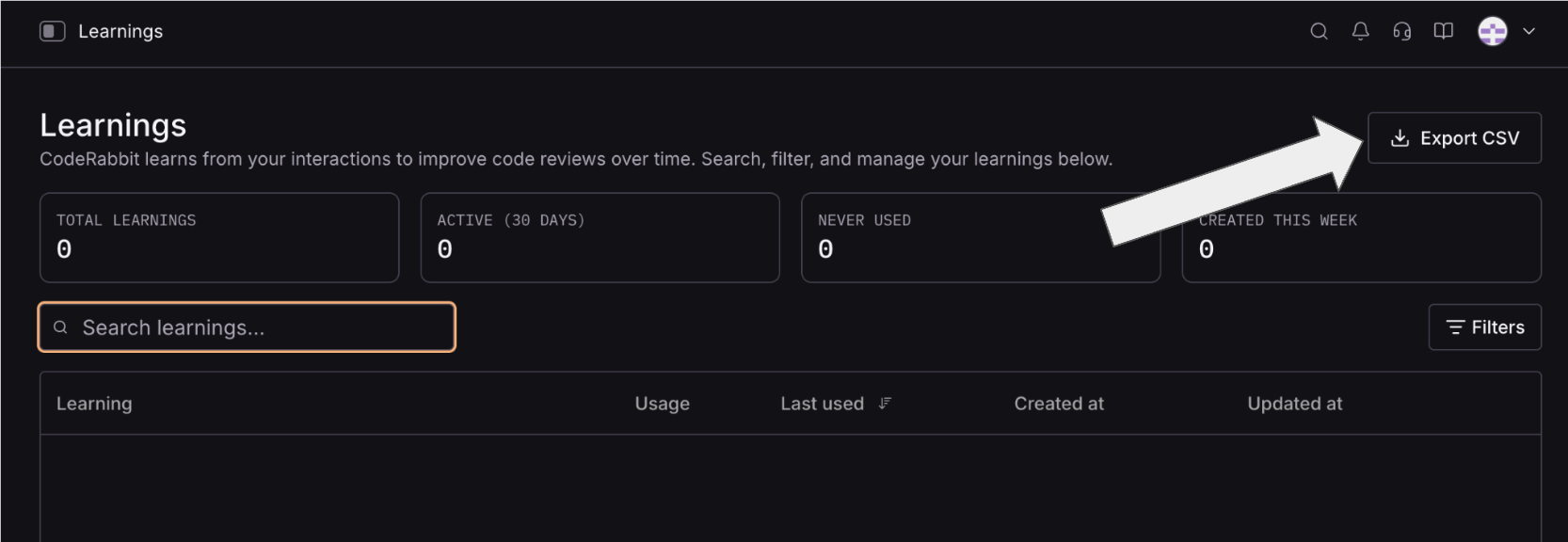
Navigate to the Learning's page in the CodeRabbit UI for the legacy account (the account that will no longer be in use) and use the export button to export the learnings as a CSV file.
Ensure a new CodeRabbit account has been created for the new org and that it is connected to the appropriate repository and has an active CodeRabbit Subscription
Create a Pull Request in the new repository
Include the exported learnings CSV file in the Pull Request
Place the CSV file in any directory that will be checked by CodeRabbit as part of the code review
Use CodeRabbit chat in the Pull Request to request that CodeRabbit import the CSV file. For example:
@coderabbitai import file my_learnings.csv as Learnings data for future use
CodeRabbit will process the CSV file and import your previous learnings into your new CodeRabbit environment.