Why are Dashboard/Integrations/Reports locked in my CodeRabbit app sidebar?
Last updated: January 28, 2026
Last updated: December 3, 2025
Context
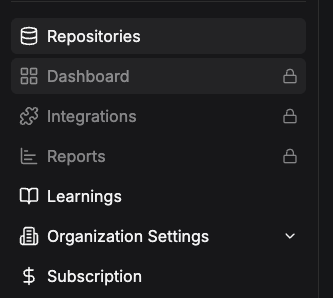
Users may notice certain features in the CodeRabbit app sidebar (Dashboard, Integrations, Reports) appear as locked or inaccessible.
Answer
When the Dashboard, Integrations, and Reports features are locked in the CodeRabbit app sidebar, typically this indicates that you are on a subscription plan, such as Lite, that does not provide access to premium CodeRabbit features.
Note: CodeRabbit has discontinued the Lite plan and grandfathered existing Lite customers into their current subscriptions. At this time, CodeRabbit offers only the Pro subscription for new sign-ups.
To confirm your subscription plan:
Navigate to the Subscription page in the CodeRabbit app.
Confirm the subscription plan name in the lozenge (e.g.
Pro).Confirm your subscription status (e.g.
Active).
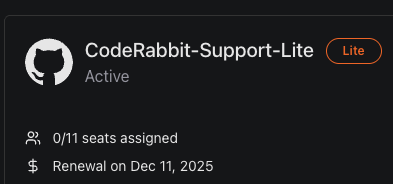
A lozenge indicating a Lite subscription plan and an Active status.
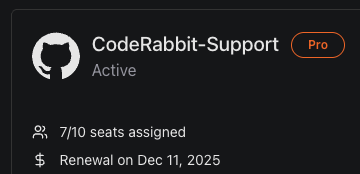
A lozenge indicating a Pro subscription plan and an Active status.
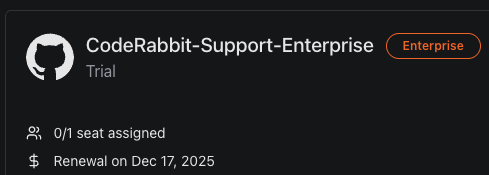
A lozenge indicating an Enterprise subscription plan and a Trial status.
Note that the Dashboard, Integrations, and Reports features are only available to customers with
ProorEnterprisesubscriptions.
If you believe your subscription plan or status is incorrect, please contact CodeRabbit support.
Additional information
For more information on CodeRabbit subscription plans, please visit: https://kb.coderabbit.ai/articles/2544860735-what-plans-does-coderabbit-offer.
For pricing information, please visit: https://www.coderabbit.ai/pricing.