How do I unassign a seat from a user who was removed from my GitHub organization?
Last updated: February 2, 2026
Context
When a developer is removed from your Git organization, their CodeRabbit seat may still be assigned to them even though they no longer appear in your regular user list. This prevents you from assigning that seat to a new team member, effectively reducing your available seats.
Answer
To unassign a seat from a user who was removed from your GitHub organization:
Navigate to the Team management page in the CodeRabbit app.
In the
Typedropdown, selectNon-Org Users.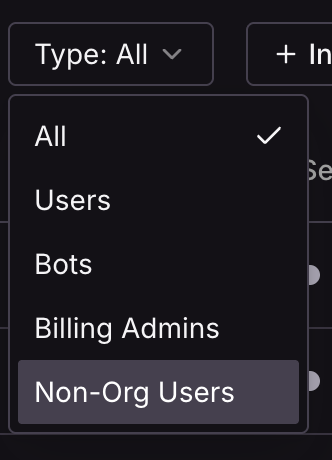
You should now see the removed user in the list.
Unassign the seat for the removed user.
The removed user will be of Type Non-Org Users because while they are no longer part of your Git organization, they still have an assigned CodeRabbit seat. Once you unassign their seat, you will be able to assign it to a new team member.