Troubleshoot: Problems logging in to CodeRabbit with Azure DevOps
Last updated: March 18, 2026
Context
Some users experience issues logging into CodeRabbit using their Azure DevOps accounts. This typically occurs when the authentication token cannot be generated or validated due to permission or policy restrictions in Azure Active Directory (Microsoft Entra) or Azure DevOps.
The issue may also arise if the organization has specific OAuth restrictions or if tokens become invalid or oversized due to excessive permissions.
Answer
If login to CodeRabbit via Azure DevOps is unsuccessful, please follow these troubleshooting steps:
In the Azure Portal, have the admin navigate to: Microsoft Entra → Enterprise Applications → search for CodeRabbit.
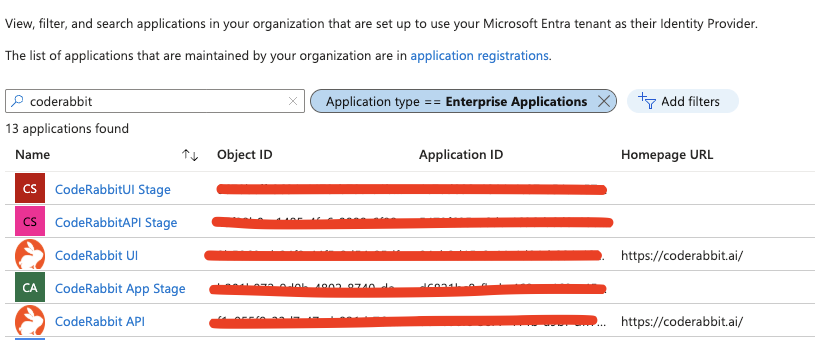
The admin should find CodeRabbit UI and CodeRabbit API applications.

Grant admin consent for Default Directory
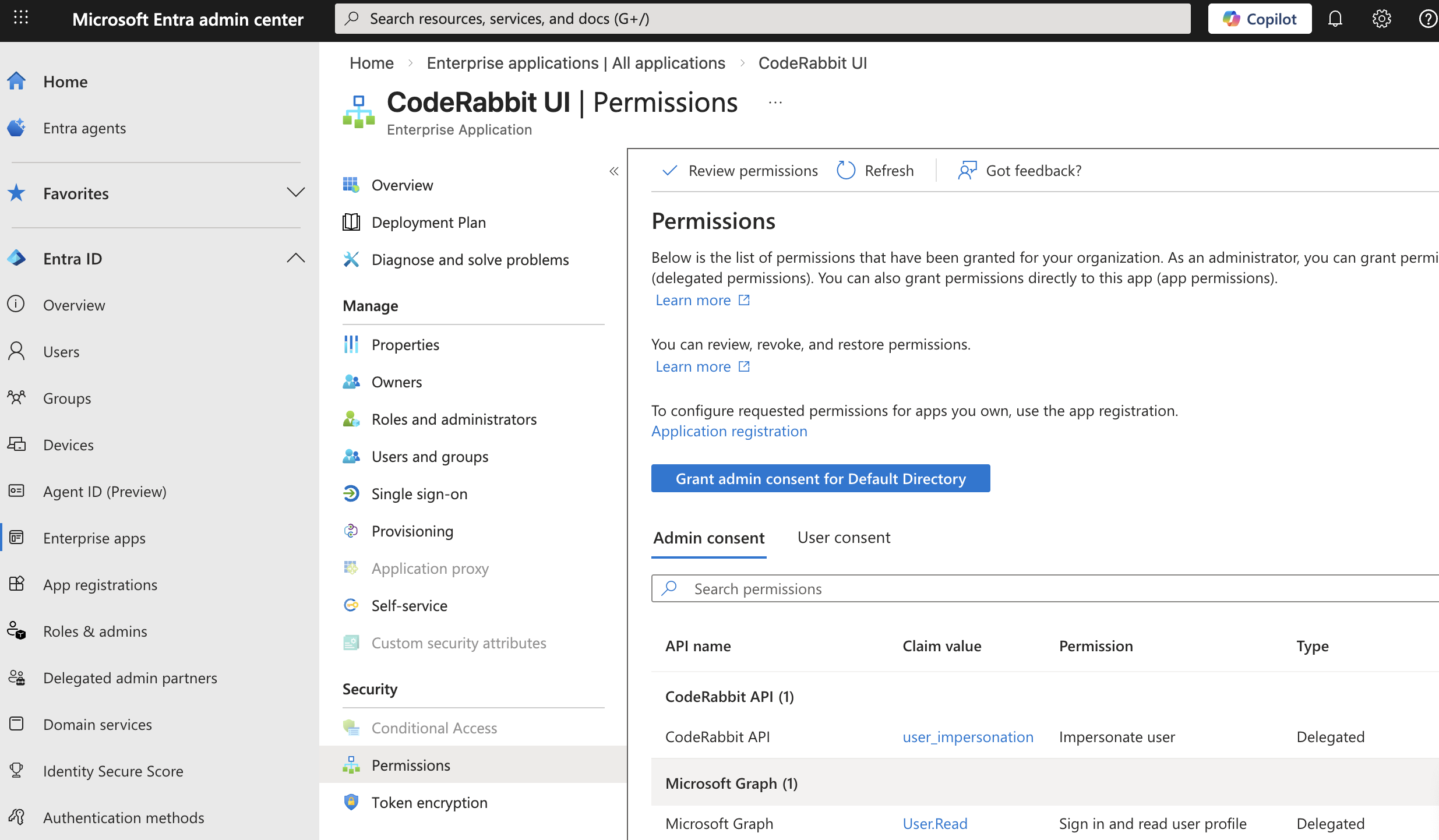
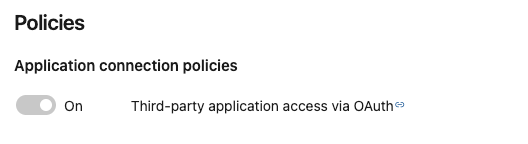
For both apps, check if the following policy is enabled.
a. You can find this under: Azure DevOps → Organization settings → Policies.
b. Confirm that the organization allows “Third-party application access via OAuth.”
To ensure the permissions are set, the following links can be used to set these permissions.
https://login.microsoftonline.com/TENANT_ID/adminconsent?client_id=04eb2d15-6c44-4d04-b891-12974904e01a&state=azure-devops-TENANT_ID&redirect_uri=https://app.coderabbit.ai/loginhttps://login.microsoftonline.com/TENANT_ID/adminconsent?client_id=0b1b3efc-3c77-414b-a9bf-dff78c4e34e8&state=azure-devops-TENANT_ID&redirect_uri=https://app.coderabbit.ai/login
Replace TENANT_ID with the real value.
Try signing in with a non-super admin user (with fewer permissions).
CodeRabbit is aware of an edge case where tokens can become excessively long due to expanded permission scopes. If this applies to your setup, please contact CodeRabbit Support, as additional time may be required for further investigation.
If the issue persists after completing these steps, contact CodeRabbit support.