Where do I find my Support Code?
Last updated: October 30, 2026
Context
The Support Code is used to validate a customer's current support tier, enabling the CodeRabbit Support team to provide the appropriate level of service in accordance with our SLA.
Answer
Sign in to the CodeRabbit application.
In the navigation menu, open the organization selector.
Select the affected organization.
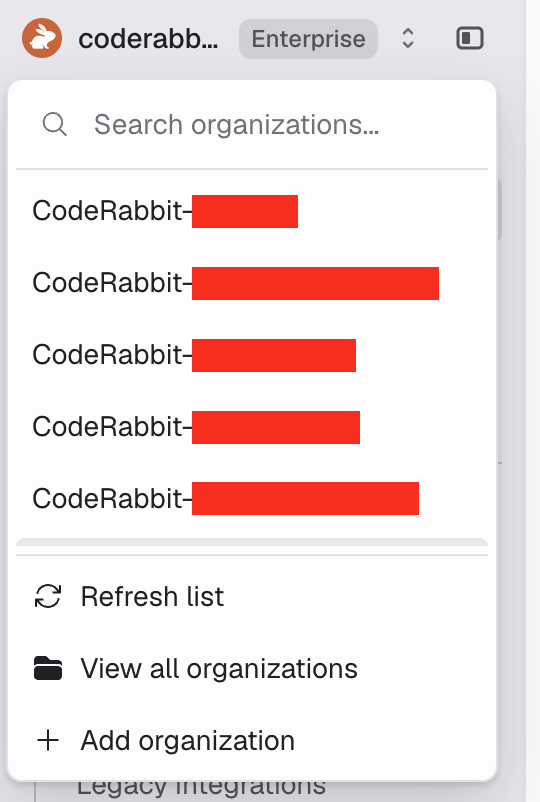
You can find your Support Code in either of these two ways:
Option 1 - From the navigation menu
In the CodeRabbit dashboard, locate your profile/username in the navigation menu.
Select your profile name, then Copy support code from the resulting menu.
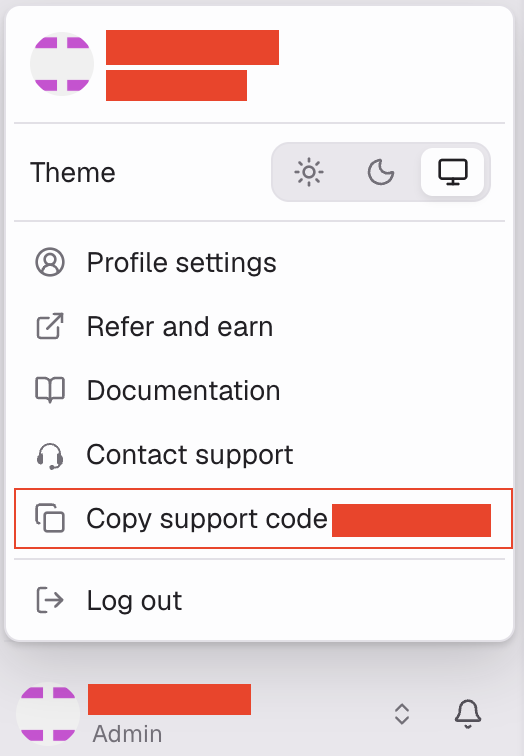
Option 2 - From Profile settings
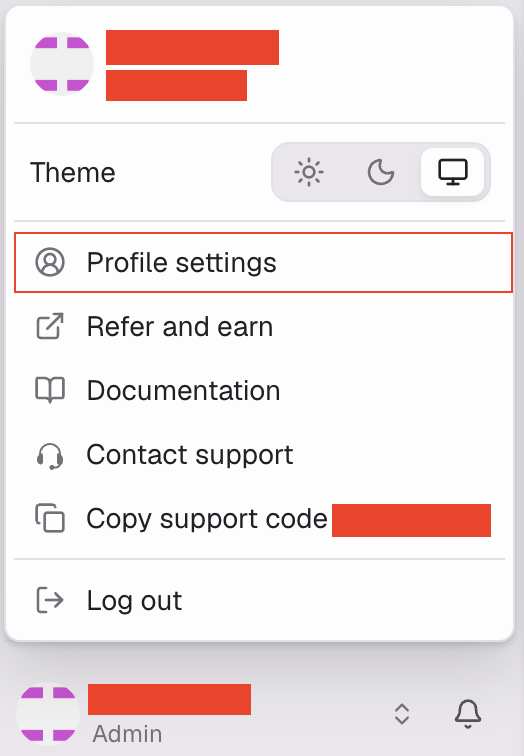
In the CodeRabbit dashboard, locate your profile/username in the navigation menu.
Select your profile/username, then select Profile settings. (If trouble locating visit your Profile page directly.)
Under Help and support, locate the Support code section.
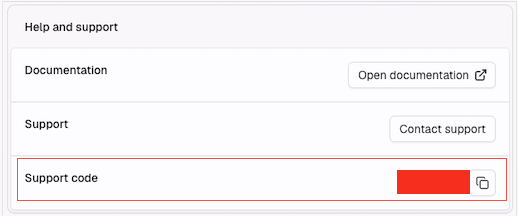
Click on the copy icon, and paste the info to the ticket.